Analytics
Unified dashboards
Every signal on role-based dashboards — per member, team & client.
 DeskPulse
DeskPulse tracks time, activity, apps, tasks and screenshots from a lightweight desktop agent and turns it into clear dashboards, client billing and accountability — so less time leaks and more work ships. Built for BPOs, outsourcing teams and individuals.
One agent, one server, every signal — captured transparently and turned into decisions.
Every signal on role-based dashboards — per member, team & client.
Automatic sessions where only genuine human input counts.
A zoomable activity timeline with screenshot previews.
Overtime approval and pay from real tracked time.
Per-agent hourly or flat monthly, rolled up per customer.
See who’s working now — and step in when needed.
Fine-grained roles (RBAC) with a full audit trail.
Public read-only links, CSV export and your own branding.
The real dashboards your team works in every day.
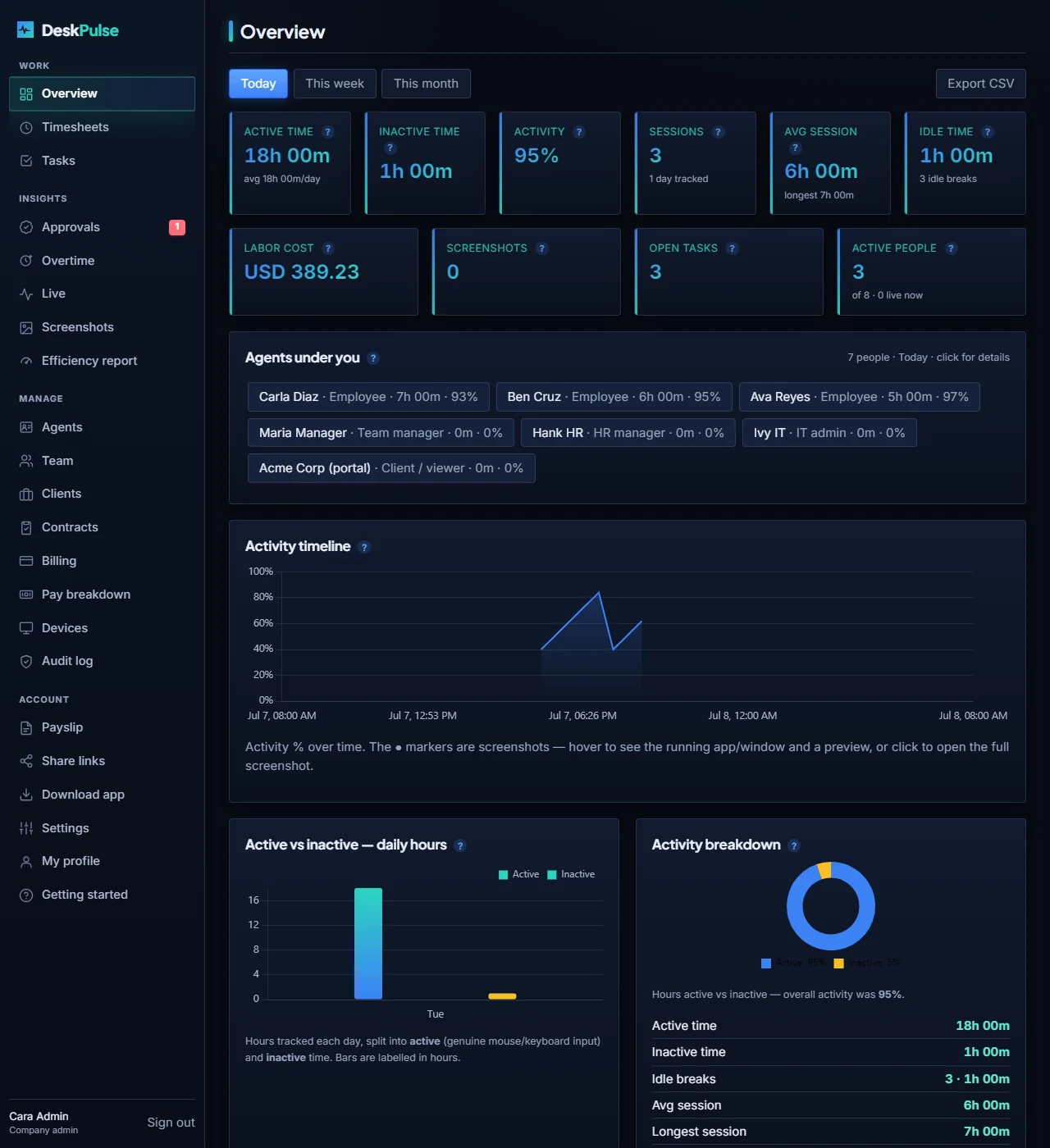
Time, activity, apps, tasks, screenshots and pay — for one person, a team or the whole organization.
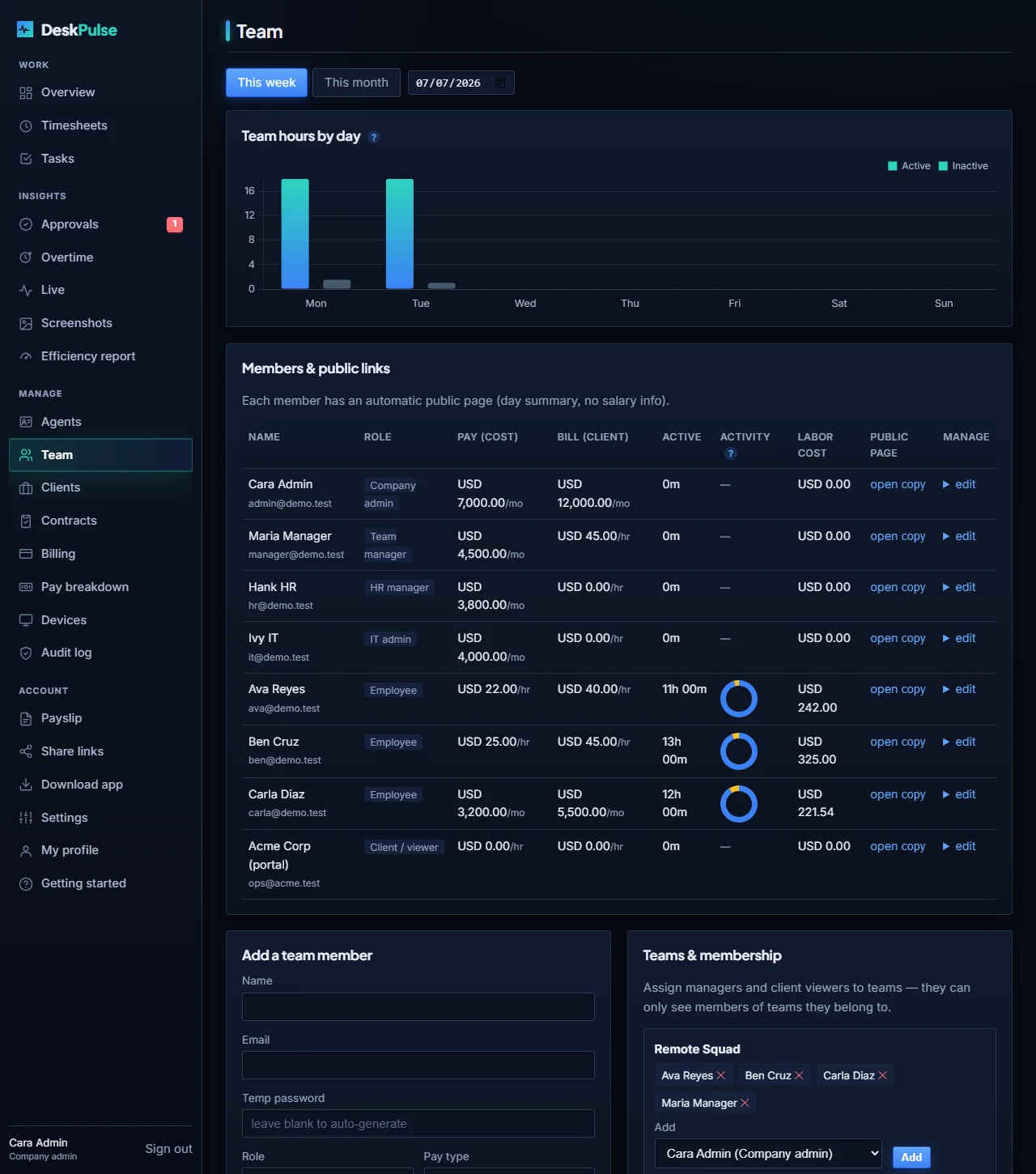
Every member's activity/inactivity split as an instant donut chart, right alongside pay, bill rate and labor cost.
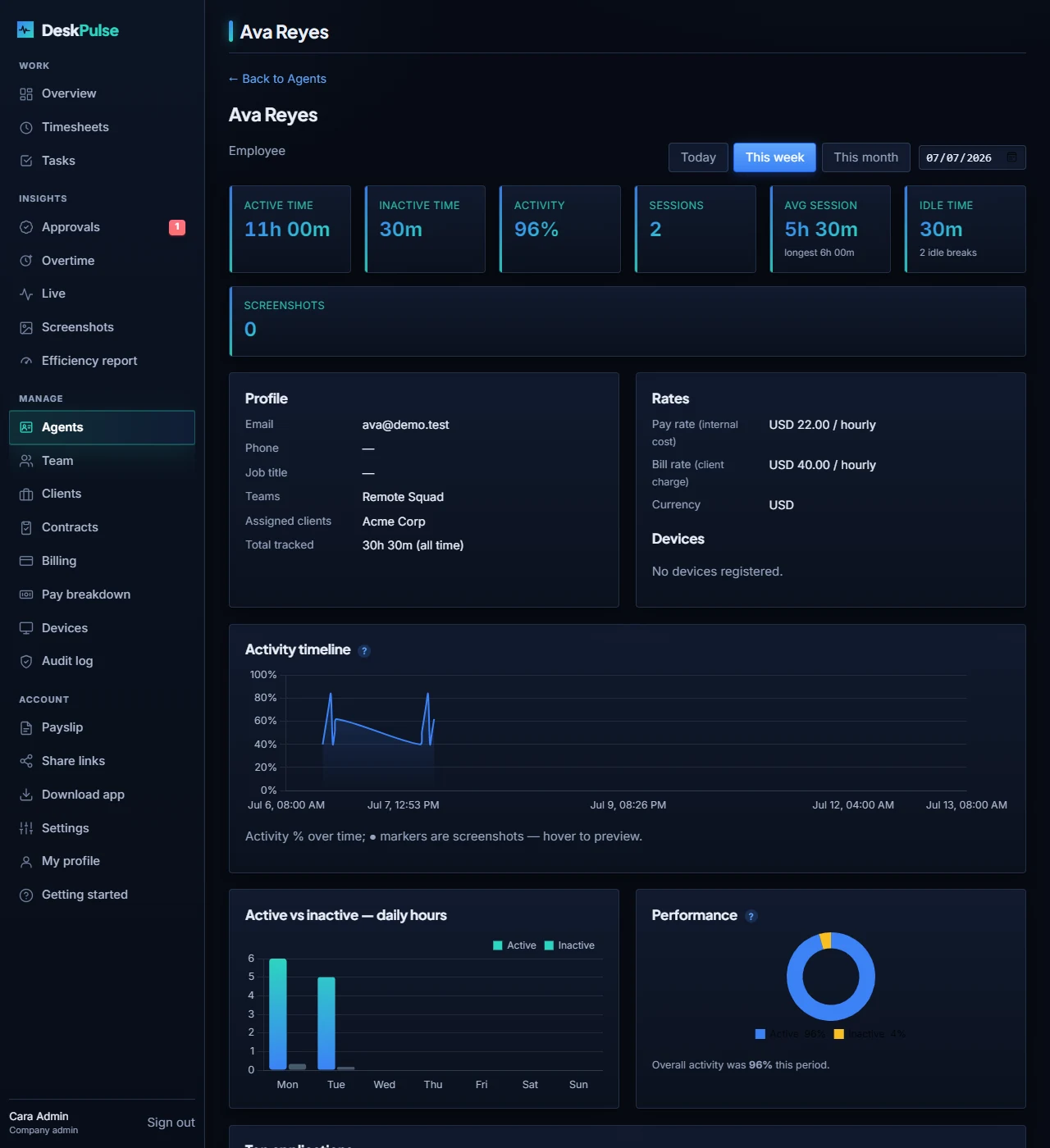
A full per-agent profile: rates, devices, assigned clients, tasks, an activity timeline and a performance donut.
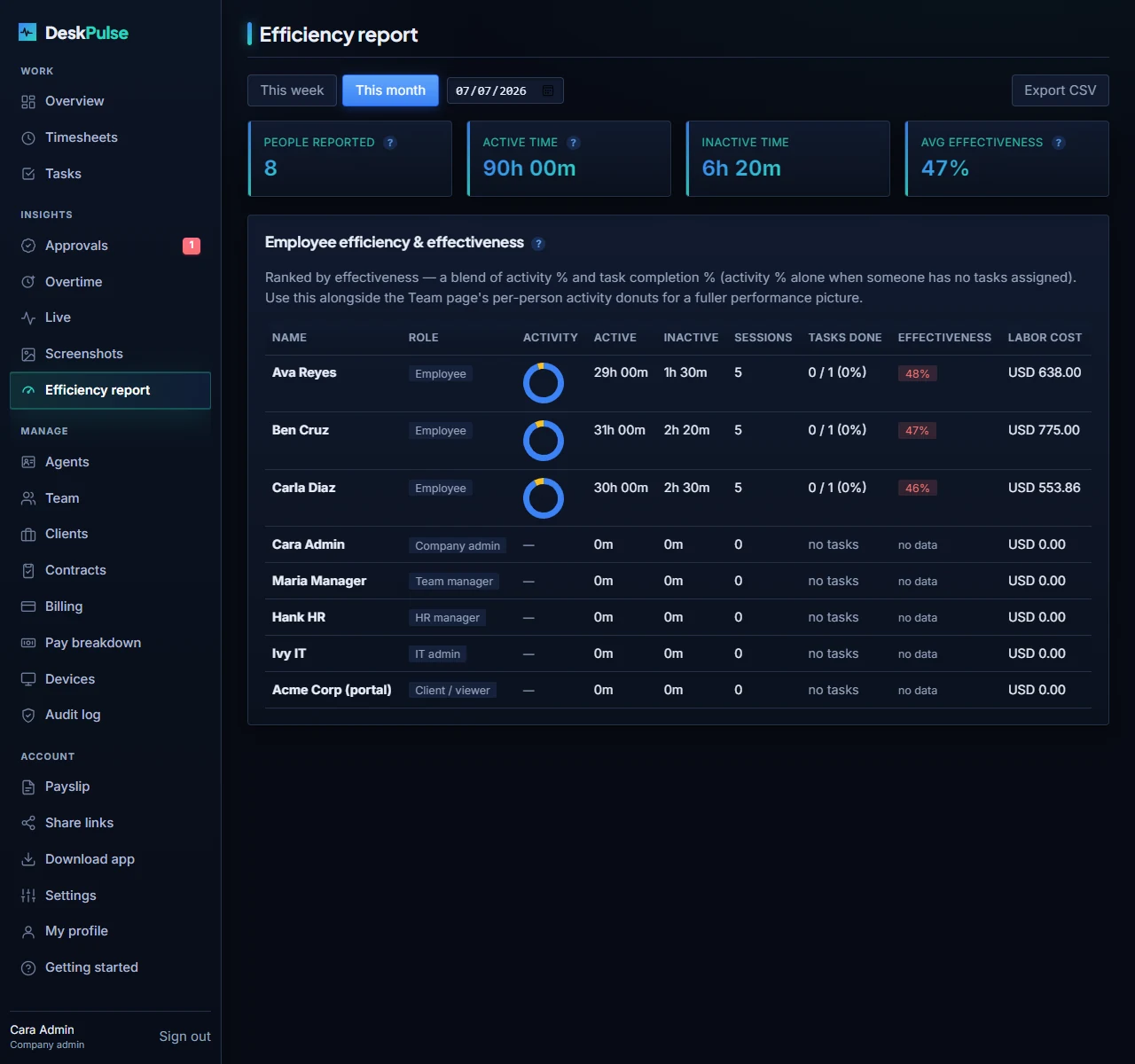
Rank your team by activity and task-completion — a blended effectiveness score built for performance reviews.
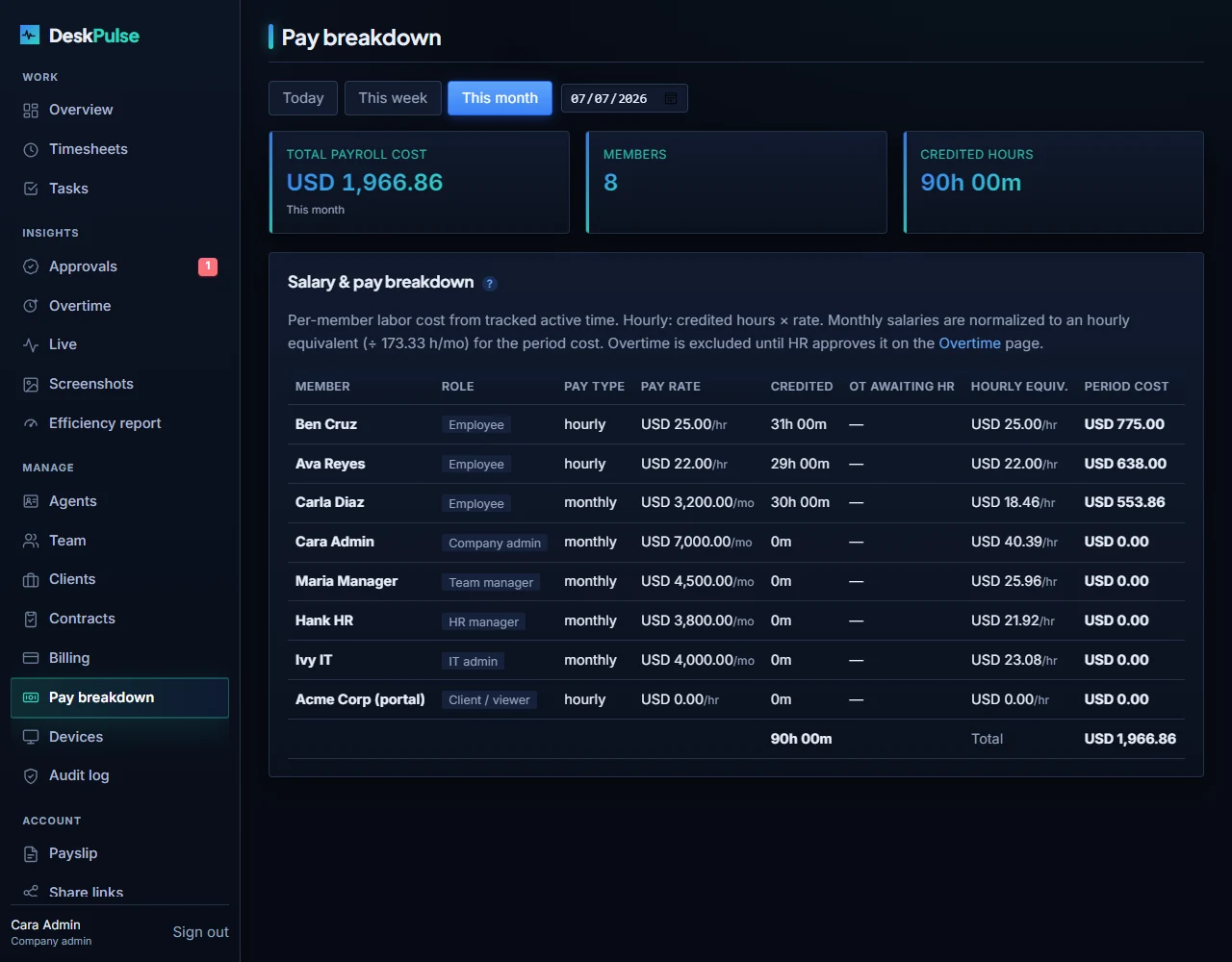
Per-day pay computed from genuine tracked time, plus an organization-wide salary breakdown for admins & HR.
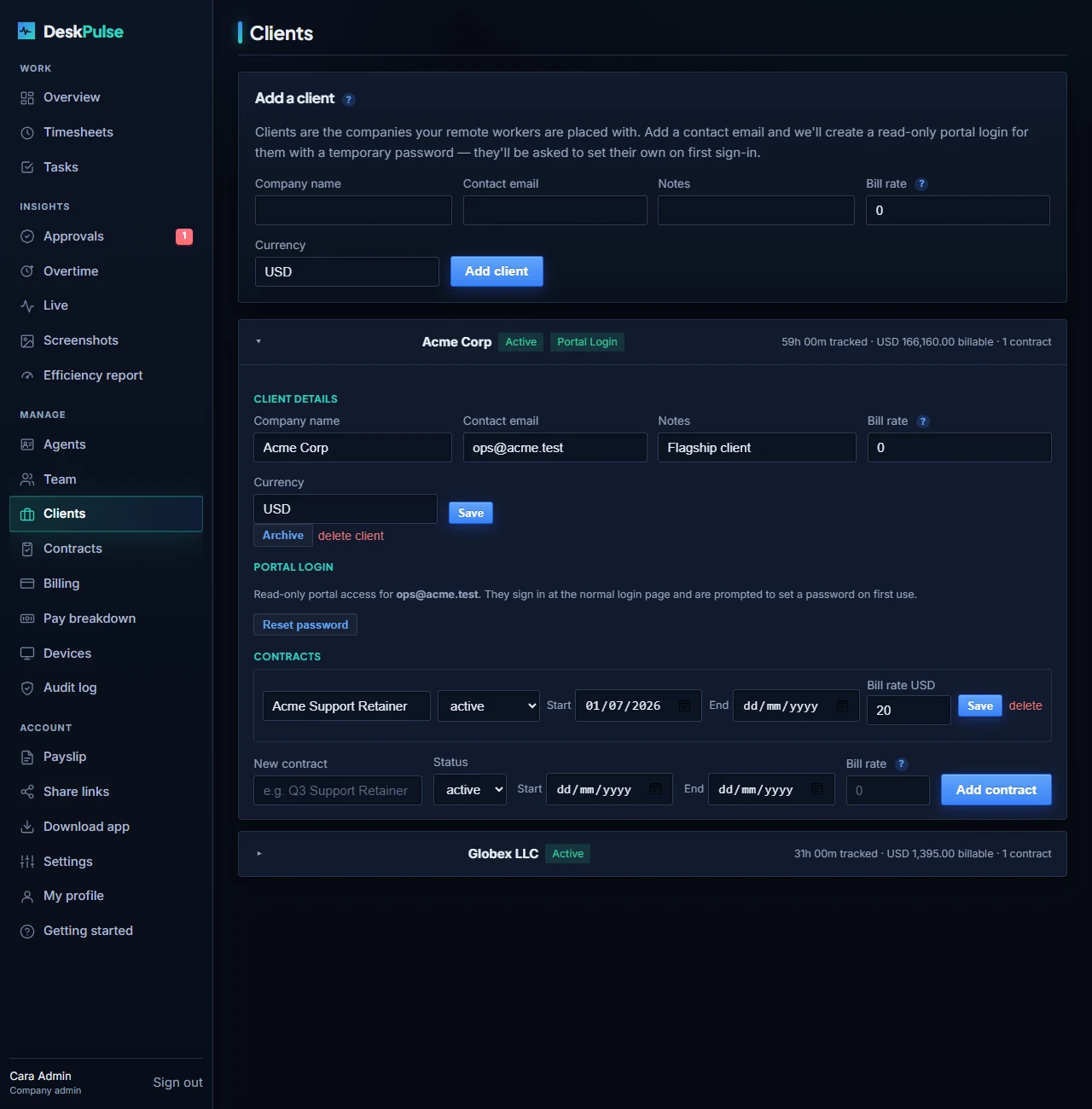
Quote a standard rate per client or contract, while every employee keeps their own individual bill rate.
From sign-up to dashboards in an afternoon — not a quarter.
Sign up in seconds — it spins up your private, multi-tenant organization.
Invite people, assign roles and teams, set pay/bill rates and your monitoring policy.
Workers install the Windows or macOS agent and sign in. Tracking runs only on Start.
Time, activity, tasks, screenshots, billing, live status and audit logs flow in.
Capability-based access — people only see and do what their role allows.
Full control of one organization — team, clients, billing, settings and reports.
Their assigned team only: live view, reports, screenshots and timesheet approvals.
Attendance, productivity, approvals and profiles — no screenshots, billing or rates.
Devices, audit log and the monitoring policy — no payroll or screenshots.
Their own dashboard, timesheets, tasks and profile.
Read-only, team-scoped reports for outsourcing clients — no management.
$7 a seat — and your bill never goes past $450.
Track your own time and see where it goes.
1 user
For freelancers and solo operators billing clients.
1 user
For BPOs and outsourcing teams that need roles, billing and oversight.
5 seat minimum — from $35/mo
The Team plan, once your bill stops growing.
Automatic at 65+ seats · covers up to 100
Above 100 seats, or with procurement requirements.
SSO, SLA, DPA, on-prem options
$7 a seat until your bill reaches $450 — that’s 65 seats. Past that you pay $450 however many people you hire, up to 100 seats.
Every feature is included at every paid price — no screenshot upsell, no add-on modules, no onboarding fee, no annual lock-in. Work out your own cost →
Monitoring people demands the highest bar. DeskPulse sets it.
Tracking runs only while the worker presses Start, with a persistent “● Monitoring” indicator. No silent background spying.
Screenshots can be blurred, are never shown on public links, and rates are hidden from employees. Access is capability-gated per role.
Multi-tenant and isolated per organization — every workspace’s data is kept separate and private.
Join the teams running remote work on DeskPulse. Start free in minutes.